Apple Watch brings distributed system headaches to your app

Apple Watch brings distributed system headaches to your app"My Toddler Loves Distributed Systems, So I Built Him a Radar"
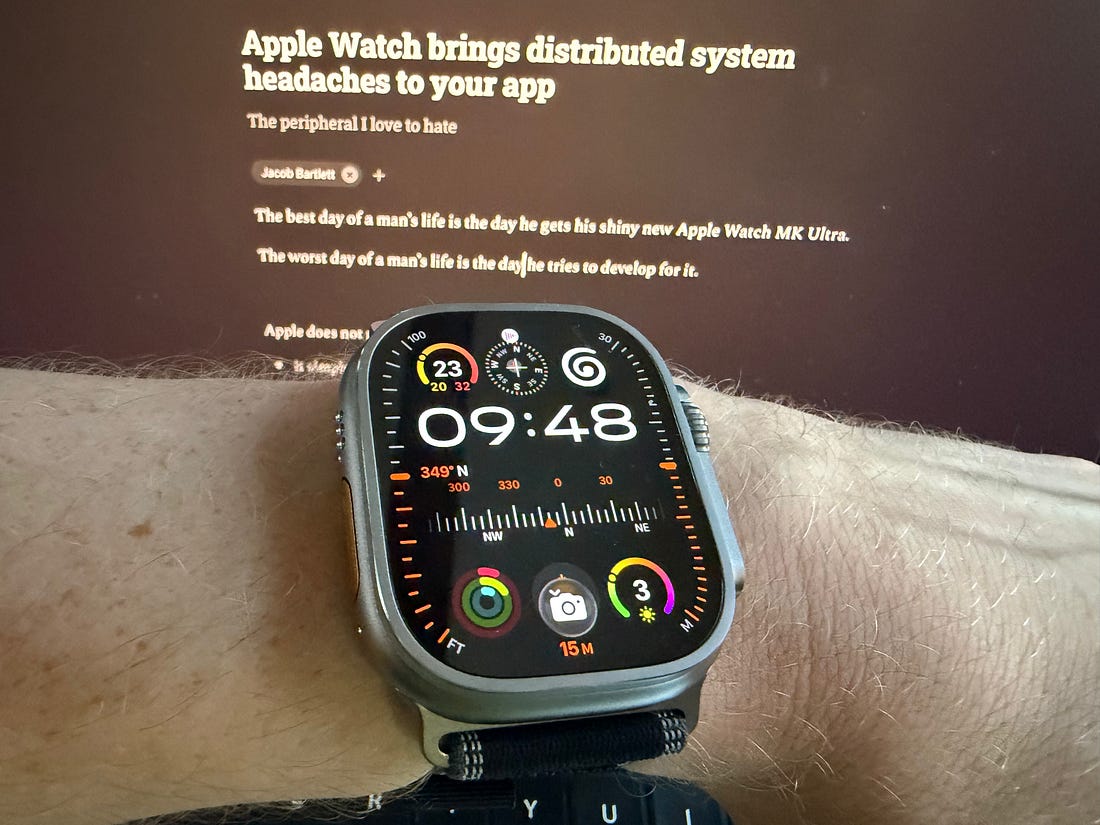
The best day of a man’s life is the day he gets his shiny new Apple Watch MK Ultra.
The worst day of a man’s life is the day he tries to develop for it. This is my story. Watch WoesApple does not pull any punches when it comes to watch devex. You can’t just connect a cable, it only works via Wi-Fi. Specifically, it only works if you happen to have 2.4 GHz Wi-Fi. Even so, Xcode probably won’t notice your watch for several hours. A̷n̵d̴ w̶h̷e̸n̴ i̵t̷ d̶o̵e̷s̸, i̴t̵ w̶i̷l̴l̵ t̶a̸k̵e̶ a̵n̷o̸t̴h̵e̶r̷ h̵o̸u̶r̷ t̴o̵ c̶o̷p̸y̴ c̵a̶c̷h̸e̴ s̶y̷m̵b̸o̴l̶s̷. W̴a̶n̷t̸ t̵o̷ g̶e̸t̵ a̶ t̷e̵a̸m̶m̷a̴t̶e̸’̵s̷ U̶U̸I̵D̷ f̸o̶r̷ a̵d̸-̷h̶o̵c̷ b̸u̴i̷l̶d̸s̵? G̷o̸o̵d̶ l̷u̸c̵k̶: y̷o̸u̵ h̷a̶v̸e̵ t̶o̷ g̸o̵ t̷h̶r̸o̵u̷g̶h̸ t̵h̷i̶s̸ w̵h̷o̶l̸e̵ r̷i̶g̸m̷a̶r̸o̵l̷e̶ a̸g̵a̷i̶n̸. I̵͎f̷̰ y̶̝o̸͇ṳ̷ h̴͕a̷̻v̸͔e̶̪ a̵͉ S̷̟E̶̞? A̸̖l̷̠l̶̬ t̵̗h̸͙e̷͕s̶͓e̵̩ p̷̱r̸̥o̴̘b̷̝l̶͔e̵̙m̸̞s̷̺ a̶̱r̸̫e̷͈ 1̴͍0̸̲x̶̥ w̷̘o̶͎r̸̦s̵͚e̷̩. O̵̪̓h̷̬͒,̸͉̄ a̶̻̽n̷̮͛d̴̞͝ T̷̹̾e̵̙͌ș̸̑t̶̝̓F̷̙̍l̴̗͆i̵̜͝g̷͚̒h̶̳͛t̵͖̔ w̷͍̍a̵̫̾s̸̖̒ p̷̬̿a̶͚͊r̸͙͗t̵̩͠i̷̜̿a̶͚͊l̷͙͗l̵̩͠y̸̬͋ b̶͔͝ȑ̷̲o̴̰͐k̶̺̐e̷̫͑n̴̹̽ f̷̙͆o̵̳͠r̴̟͗ s̵̡̬̐ę̶̺͝v̵̩͕͊e̷̪̝̽r̴̗͎̍ȁ̸̦̤l̷̢͙͋ m̵̬̹͂o̷̮͉̔n̴͇̦̒t̴̛̲͑h̵͇̼͝s̷̨̬͗ o̴̰̼̍f̸̧̖̪̍ ẗ̵̛͚͎h̶̡̤̳̽i̶̢̯͔̇s̵̗͙͐ ÿ̸̡͚̘́ę̷̮̘̾a̶͇͚͖͌r̶̢̗̺͛. Nevertheless, one speeds ahead. Probing one’s side projects for an excuse to make the most of one’s new toy. The good news: my one-and-a-half-year-old toddler has began getting really into planes when he sees them in the sky. We’re ready for round 2! Sponsored Link
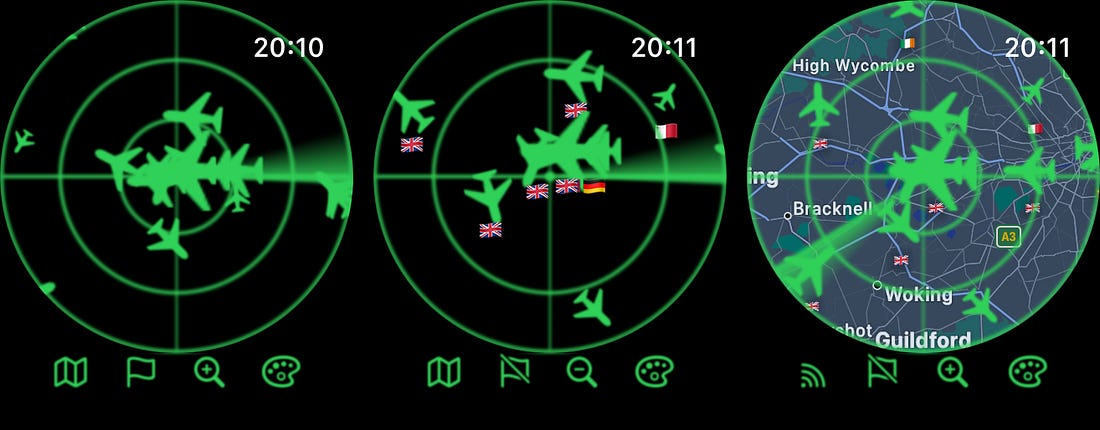
Aviator v3.0For anyone unfamiliar with my most popular article ever, I built a skeuomorphic radar toy using SwiftUI, shaders, and open-source APIs to help locate nearby planes in the sky. I re-implemented my radar as a Watch app!
This is a really cool miniature version of the full app, itself a neat SwiftUI wrapper over the OpenSky API. But it doesn’t feel like an extension of my app. It feels like a little miniature version that runs totally separately. Because it is. This won’t please my dozen users. They have high expectations of me, for some reason. So let’s go back to basics. At the very least, we should make sure the settings are shared between our two targets. This includes: 🗺️ The map/radar toggle So we need our watch and our phone to talk. Like this: 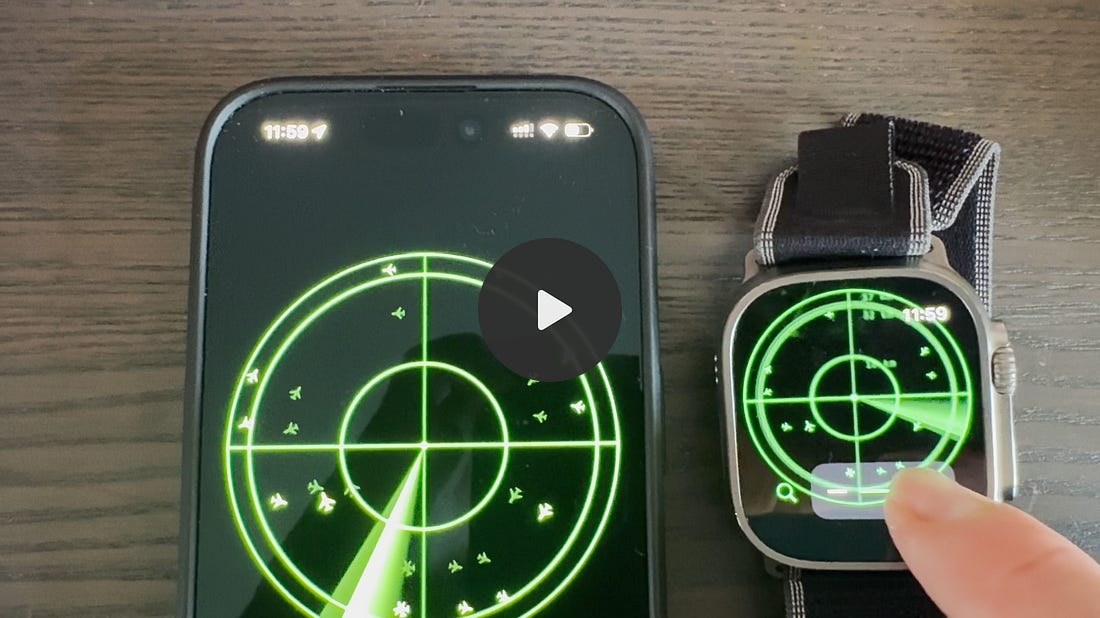
But, like socially awkward British men (redundant phrasing), getting the two devices to communicate isn’t trivial. iPhone and Apple Watch are separate systems: two small computers with their own file systems, their own secure enclaves, their own cell radios, and their own separate apps. These twin targets form a distributed system. Each device is a writer node, both storing and mutating a replica of user settings. Even the naïve approach introduces thorny state management problems. What happens to the data if my toddler and I modify the same settings on the phone and watch simultaneously? What happens to this data if they can’t connect? What happens when they do reconnect? What if the watch runs out of power, this reconnection takes a week, and an ancient settings change later propagates? Should our settings change happen instantly on each client or do we wait until the data is shared? The mind boggles. How am I, a lowly frontend developer, supposed to handle this?! I threw my MacBook across the room in a fury. And gasped.
The answer was right in front of me the whole time. The full article ships to everyone in a month. But it’s quite high quality, you probably don’t want to wait for this one. You get your money’s worth, I promise: ⚓️ Access my full library of 50+ paywalled articles Distributed SystemsBefore they invented AI engineering, distributed systems engineering was probably the highest-status, most hardcore-sounding type of engineering out there.
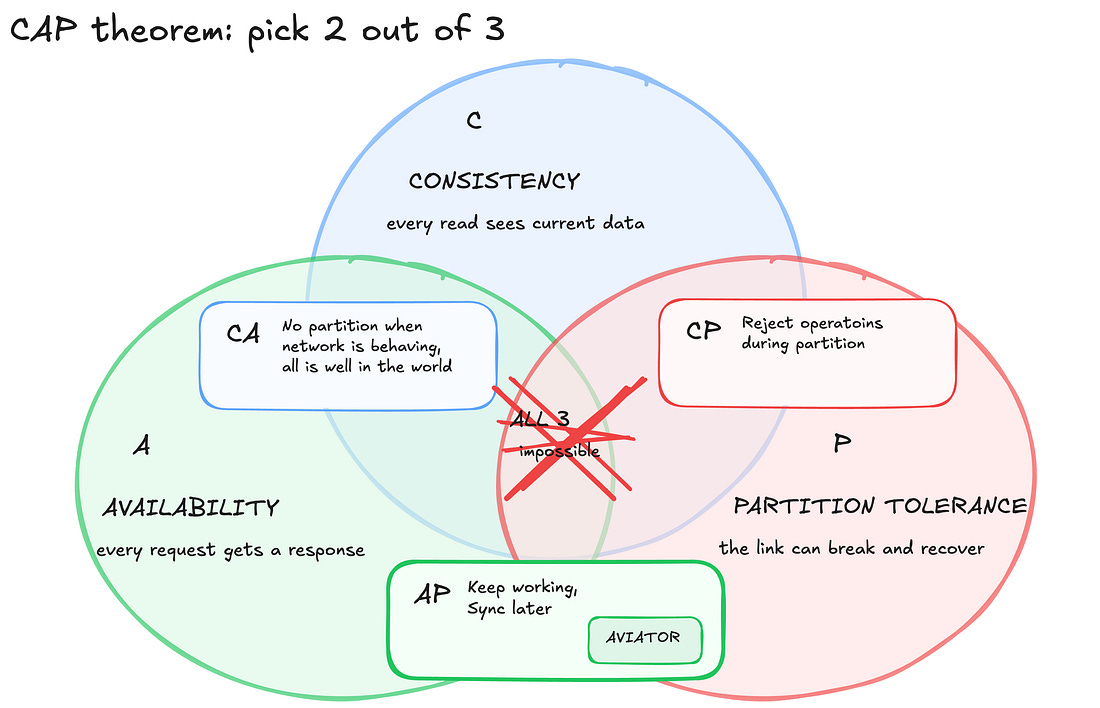
It’s considered hard because, unlike building CRUD APIs, writing speedy single-node database queries, painting JSON, or setting up clean state management, there is often no simple solution to a problem. CAP TheoremThe linchpin of distributed systems theory, that is, the root cause of our headaches, is CAP theorem. For a distributed system, that is, a set of nodes that store data, CAP theorem states: “Consistency. Availability. Partition Tolerance. Pick 2 out of 3.” — Eric Brewer (paraphrased), 2000 Consistency = every node always has the same data. Availability = every request to a node must always give a response. Partition Tolerance = the system still works when nodes can’t communicate. To achieve Consistency, all data mutation operations must be immediately applied to all nodes in the system before they return. For Availability, you need to give a prompt response to all valid operations, even if part of the system is down. With distributed systems, partitions are inevitable. So partition tolerance is non-negotiable. This leaves us mucking about with the other 2. In the context of the Watch/Phone system, a partition might happen when Bluetooth is off, your watch ran out of battery, or you just left it on the train (f***!). When this partition happens, you have to choose:
Recall my somewhat meandering descent into madness in the last chapter. Can you see how we can solve most of the problems by making a choice between consistency and availability?
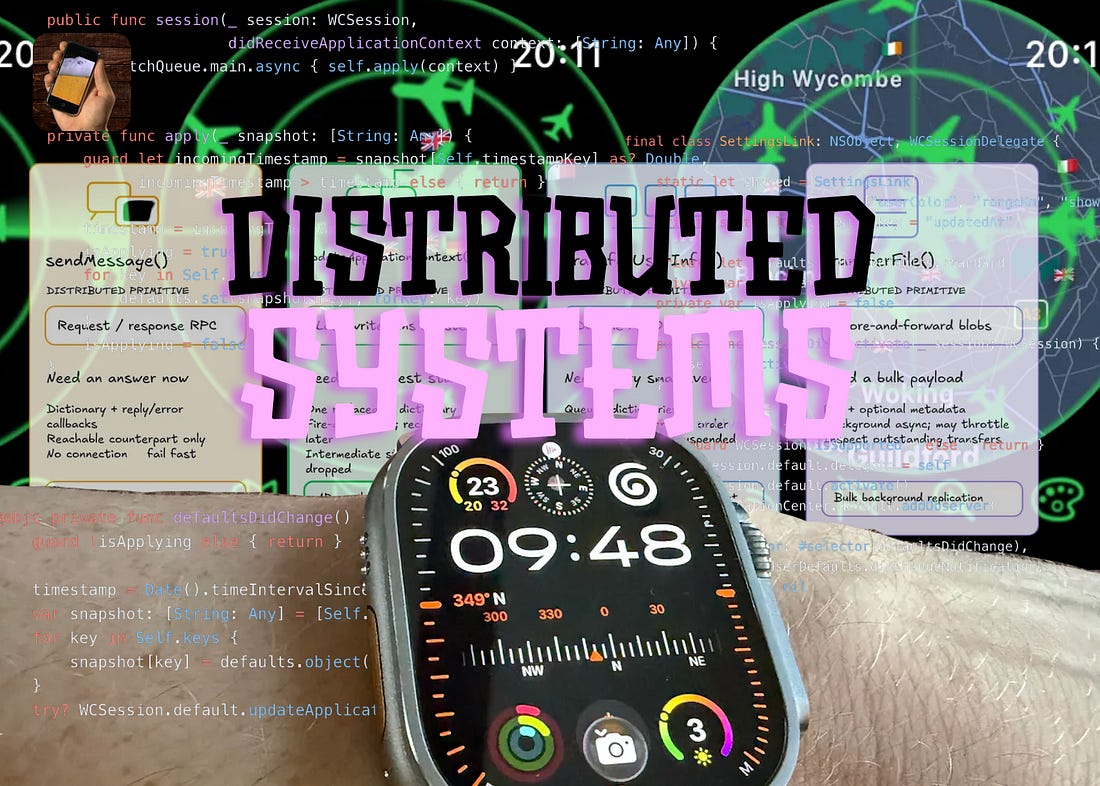
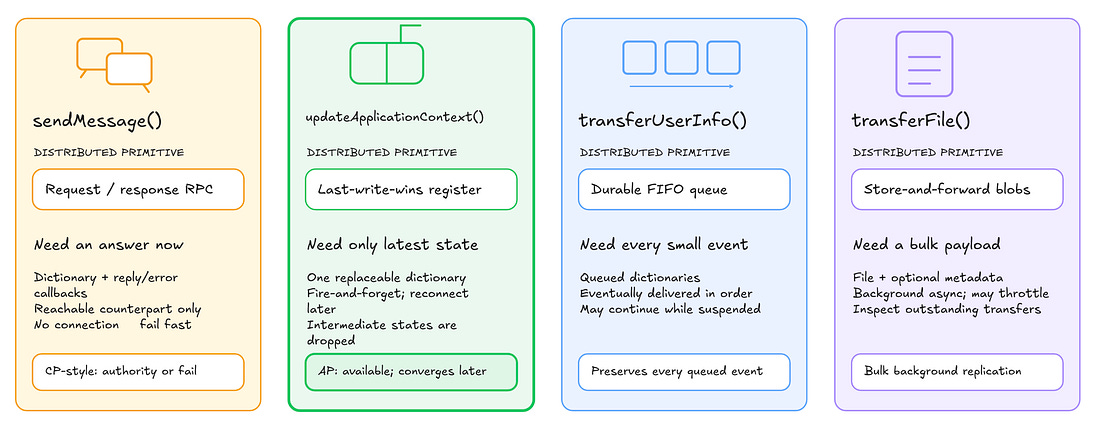
This basic theory forms the foundation of distributed systems engineering. And now we know enough to design our twin radar apps. WCSession APIsApple created the Watch Connectivity framework to allow our devices to speak to each other. The system handles a lot of legwork, taking responsibility for data transfer across whatever medium (Bluetooth, Wi-Fi, cellular). Data transfer can be done in real time, or in the background if the app is inactive. There are just a few WCSession APIs to choose from when transferring our data, and both nodes, phone and watch, can implement them, enabling bidirectional communication. sendMessage() sends a dictionary of values, with closures for both replies and errors. This means you can use it to both send and request data, but it fails quickly if there’s a partition (i.e. no connection), as it needs a live counterpart to succeed. This API allows us to achieve consistency if we need it, but not availability. updateApplicationContext() also transmits a dictionary of values, called applicationContext, shared between the two nodes. The receiving node implements session(_:didReceiveApplicationContext:) to retrieve the latest data. applicationContext is always going to have the most recent edit we made: treat it like a last-write-wins strategy. You can fire-and-forget this method, since it works even during a partition, delivering what it can once it’s connected. This API offers us good availability and eventual consistency. transferUserInfo() sends (you guessed it) a dictionary to the other device. The system queues it up with other transfers, and ensures they are eventually delivered, in order. The system may continue transfer operations when the app is suspended. transferFile() is a bulk blob replication method for transferring full files (with, naturally, an optional dictionary of metadata). Delivery runs async on a background thread, with possible system throttling to save power. outstandingFileTransfers gives you a list of files queued for delivery but not yet sent. Both transferUserInfo and transferFile may only be called while the WCSession is active: calling this method for an inactive or deactivated session won’t work. They queue operations, which is useful if we need a full audit log rather than a final state. I respect my audience’s intelligence. Intelligences? Intelligi? Someone more intelly than me please explain the correct plural in the comments. To prove to yourself that you’re getting your money’s worth from my blog, and if you’re a free subscriber please pay me, take a moment to decide which WCSession API would work best for synchronising the settings between the Aviator watch and phone apps.
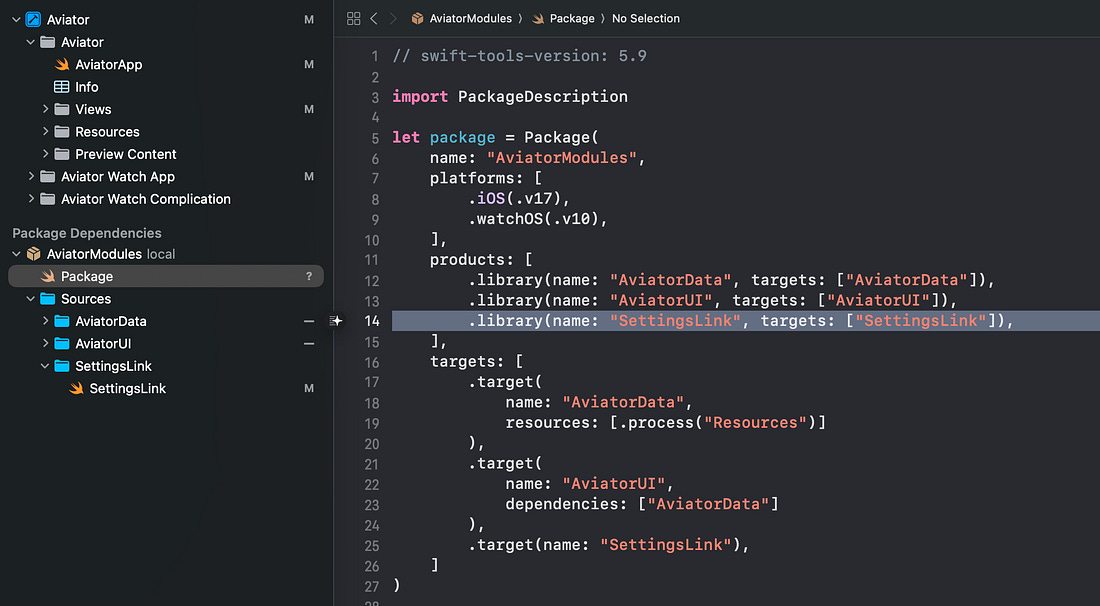
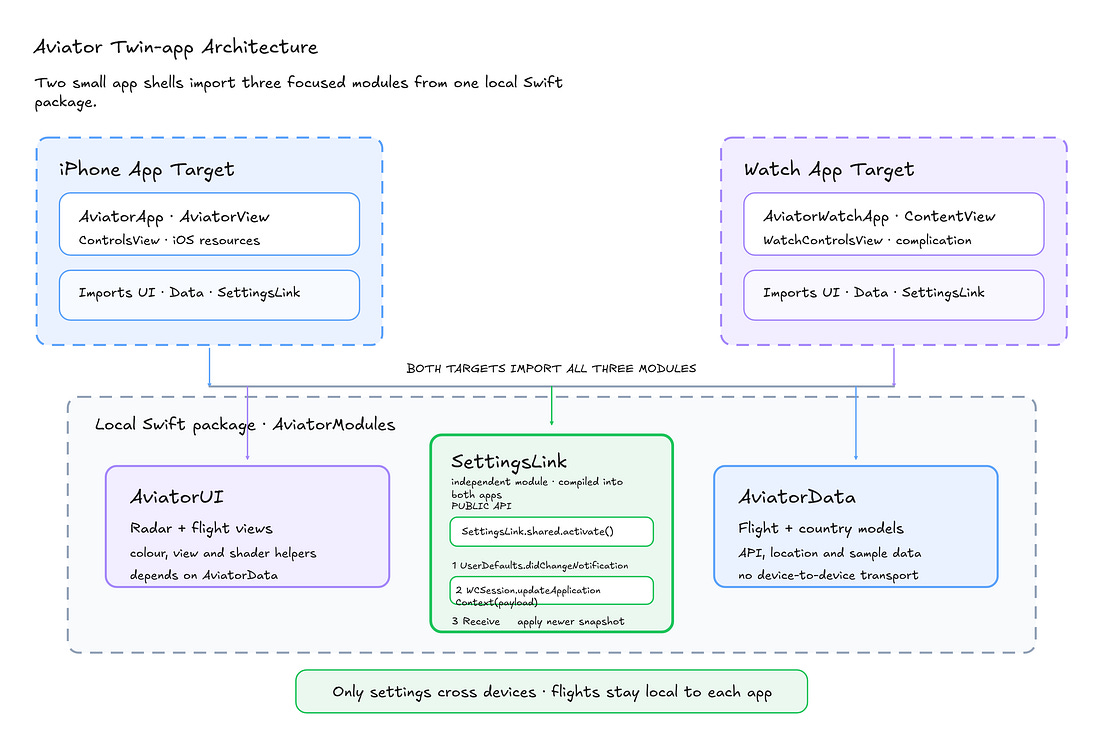
For Aviator, we don’t have any important intermediate values to keep consistent via an audit log, and we also don’t care that much if settings aren’t perfectly synched. We just want the app to work on both targets as much as possible. Therefore, prioritising availability, a last-write-wins register via updateApplicationContext is the perfect fit for syncing our settings state. Designing our LinkNow that we know what API to use, actually building it becomes a lot simpler. I built SettingsLink via SPM; a tiny shared utility package imported by both our phone and watch targets.
First, we configure the SettingsLink and observe changes to user defaults. This automatically fires our code when a user changes colour, range, map view, or flag display mode on either device. Observing defaults changes, we first need to make sure we aren’t currently applying changes. This avoids an infinite loop: the watch changes settings, then passes it to the phone, which updates its user defaults, then the observer fires, so the phone passes the same settings back to the watch, and so on and so forth… We put our defaults into a dictionary and shoot it across the wire with updateApplicationContext. To receive the changes on the other node, we implement the WCSessionDelegate method didReceiveApplicationContext. We also want to ensure we have the latest state when activating a WCSession, when the watch app launches, or when the iPhone connects to the watch for the first time. That’s it! While in Rome, I took the opportunity to tidy up Aviator’s architecture and modularise the rest of it.
A More Complex SystemI have a confession to make. Aviator-on-your-wrist wasn’t the source of my pain expressed at the start of this article. For the purposes of a blog post, I picked the simplest possible distributed system and the simplest possible data flow: last-write-wins for a simple dictionary of UI settings. Granola has just released its long-awaited watchOS companion app to make recording meetings easier (and, frankly, to help people remember to use us!). And, outside the hell that is developing for the Apple Watch, we experienced some seriously complex distributed puzzles. Granola lets you take AI notes from your meetings, and the watch app creates a handy shortcut to perform recording via your wrist, sending the file to the phone via transferFile() for summarisation. But what happens if you try to record a meeting on the phone at the same time as the watch? We send fire-and-forget current-state heartbeats via updateApplicationContext() so the phone knows, best effort, whether a watch recording is happening (and prevents a simultaneous phone recording). CAP theorem rears its ugly head again: Availability was a must, because you always need to be able to record. So we had to sacrifice some Consistency, accepting possible edge cases with 2 recordings running at once. We used sendMessage() from the watch to reliably request your login state on the phone app, or fail. transferUserInfo() delivers control events like “stop recording” from the phone to the watch. Frankly, writing this article helped a lot.
Last Orders
|




 |
Sponsored Link
The world’s biggest mobile hackathon for people who actually ship
Shipaton 2026 is RevenueCat’s global hackathon for builders launching real apps to real stores, competing for over $1M in prizes, and showing the world what they shipped. Build, launch, and submit your app by September 30. Check it out here.
Thanks for reading Jacob’s Tech Tavern! 🍺
Sent from my iPhone
|
||||||||||


