Devs for Devs: From XCUITest to Promo Video

Another Sunday, another gem from top developers for you! This week, our guest author is Noam Efergan, a Senior Mobile Engineer at YAZIO, specializing in iOS development. A self-taught developer based in the UK, he’s also a technical writer with a particular interest in CI/CD, automation, and modern mobile development practices. Beyond his engineering work, Noam is a core member of the SwiftLeeds team and an active contributor to the iOS community, sharing his experience through articles, conference talks, and open discussions about mobile engineering. Let’s see how a coding task can lead to a marketing video matching the latest updates. P.S. You can check out Noam’s work on LinkedIn, X, and website.
Treating Marketing Assets Like Build ArtifactsEvery time I made a meaningful change to Dee’s interface, I created a second task for myself: remake the marketing. A label moved, a timer changed, or a new state appeared. Suddenly an App Store screenshot was stale, a clip no longer matched the product, or a translated screen had to be recorded again. Recreating the right state by hand was often slower than the UI change itself. Timers kept moving, animations settled at different moments, and sample data was never quite identical. That is a familiar indie developer problem. The person building the product is also producing the screenshots, launch posts, and promo videos. Repeating fragile setup work is a poor use of that person’s time. I eventually stopped treating marketing assets as files I created manually. I started treating them as build artifacts that should be reproducible from the real app.
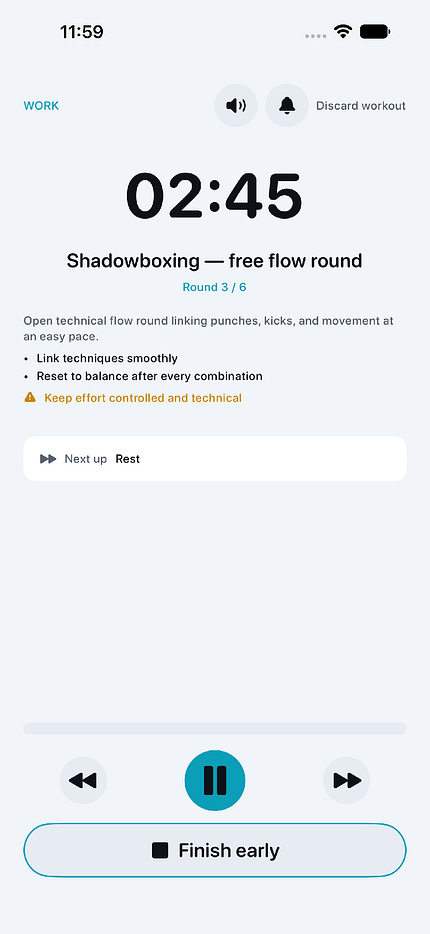
Start with an Exact SwiftUI StateDee is a Muay Thai training app with time-based workout screens. That makes manual capture especially awkward. By the time I navigate to the correct round, dismiss the right controls, and start recording, the timer has already changed. The solution begins inside the app. In debug builds, a launch argument selects a named marketing state. Each state creates the same typed models used by the product, but with controlled input. A frozen clock stops the timer from drifting while XCTest waits for the interface. |