Touch to Pixels: UI Pipeline Internals on iOS

Touch to Pixels: UI Pipeline Internals on iOSA journey through hardware, backboardd, Core Animation, and the render server
I’ll save you 20 mins if you don’t want to read a whole blog post:
Copy it on a sticky note and leave it under your monitor for your next interview. Sponsored LinkMeet Rico by RevenueCat
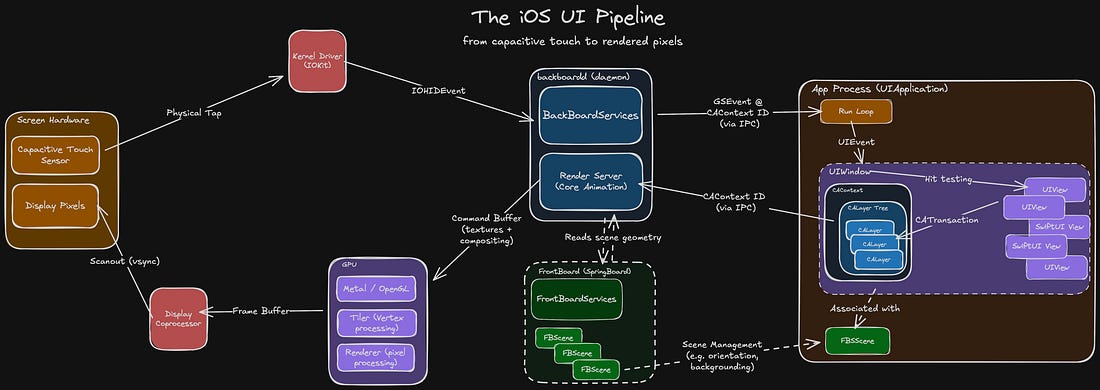
I usually love the iOS Knowledge Interview™ format: 45 mins to flex my encyclopaedic knowledge of the Swift compiler, method dispatch, memory management or Mach-O binaries. Until recently. I was asked to “explain the rendering pipeline on iOS”. “Uh… so there’s a screen. It has pixels. It detects touches. I reckon Core Animation probably does something up in there…” It’s easy to let this slip. The system abstracts away the heavy lifting. But this heavy lifting controls every single pixel on every single frame of every app you build. It’s worth taking the time to understand it properly. The UI pipeline is a complex beast, orchestrating across several lightly-documented systems. It’s tough to find a throughline that can explain it all. Fortunately, you’re in good hands. We’re tracking the journey of a touch event: from sensors, to your code, and back up to pixels, through every system along the way:
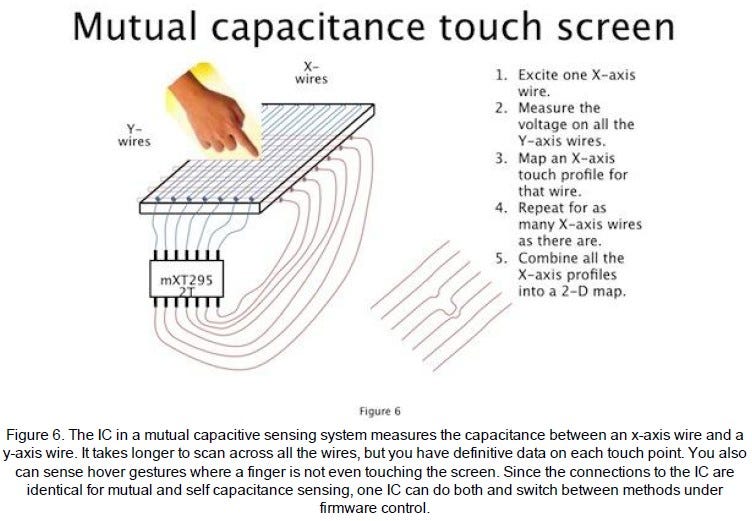
Handling Physical TouchThe HardwareIn the late 90s, Uncle Sam funded some research that led to breakthroughs in multi-touch capacitive touch screens. In 2007, Daddy Steve stuck this in front of a jumble of miniaturised tech that was finally ready for prime-time: modern microprocessors, a cellular radio, and high-capacity lithium batteries. The rest is history. Under the glass of your iPhone screen, there is a grid of transparent criss-crossing X and Y wires. A microcontroller applies an electric field across each X wire, and measures signals across each Y wire. Because human flesh is electrically conductive (don’t ask me how I found this out), the presence of a finger changes the electrical capacitance measured at XY intersections. The microcontroller scans across each wire to create a real-time 2D touch map.
The KernelThe kernel is the core of an operating system. It creates and manages abstractions on top of hardware:
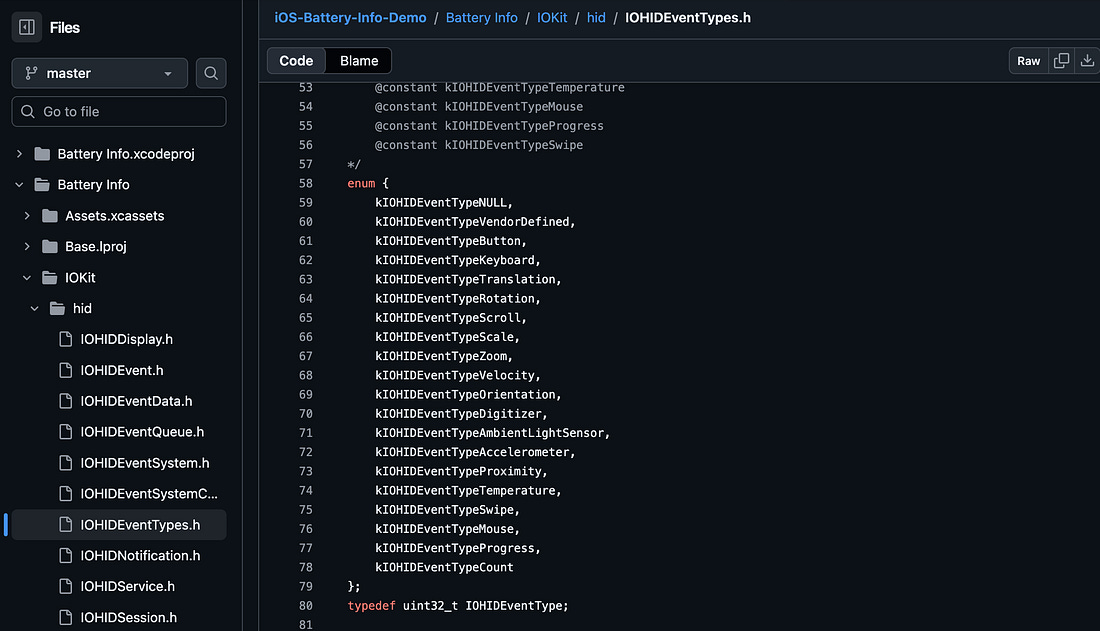
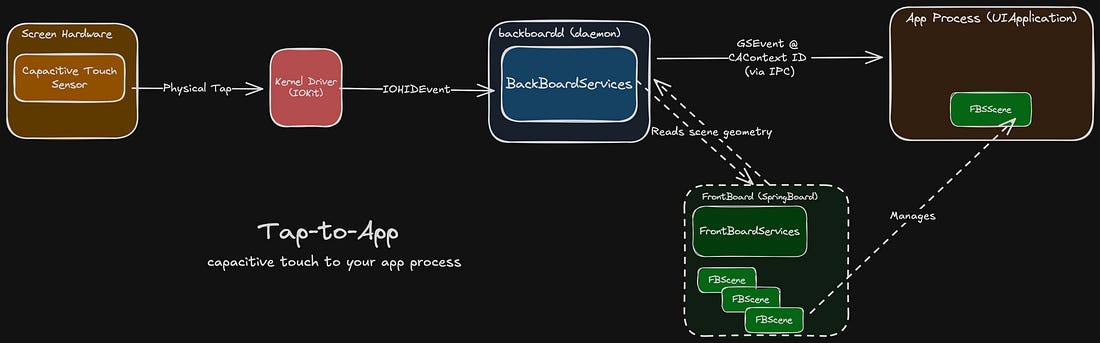
The kernel’s other main responsibility is I/O: that is, talking to the hardware. This interfacing is done via drivers, specialised software that translates input commands and output signals. The xnu kernel on iOS interfaces with the capacitive touch hardware via IOKit. The hardware sends signals that the OS decodes into an IOHIDEvent (IOKit human-interface device event) to represent touch events such as rotations, scrolls, or swipes. This event is sent to backboardd.
backboarddbackboardd is a daemon, which you can tell from the dangling D in its name. Daemons are background processes run by the OS. Just like their biblical namesake, they never sleep, and they’re always watching you. In the case of backboardd, it manages system tasks like screen dimming, reads input from hardware sensors like the accelerometer, and handles physical touch events.
BackBoardServices is a subsystem inside this daemon that performs bridging between device I/O and userland processes, including your app.
It generates a GraphicsServices event (GSEvent) for the touch and sends it to the relevant app process using inter-process communication (IPC), a secure communication channel provided by the OS. To determine the relevant app process, backboardd talks to FrontBoard (a part of SpringBoard). FrontBoard is what powers the app switcher, managing the on-screen visible “scenes” for stuff like the home screen and each individual app.
This scene, or FBScene, is associated with your app’s CAContext, or Core Animation context, underpinning all of your UI. BackBoardServices can read out the CAContext’s contextID to determine the correct app process for the touch event, and forward it on. The journey of a thousand miles begins with a single step. The journey of understanding the full end-to-end UI internals pipeline continues by paying me money. Keep reading to follow your tap as it enters your app’s run loop, then through CATransactions, IPC, the layer tree, the render server, the GPU, vsync, and pixels.
Continue reading this post for free in the Substack app
|