Is SwiftUI finally as fast as UIKit in iOS 26?

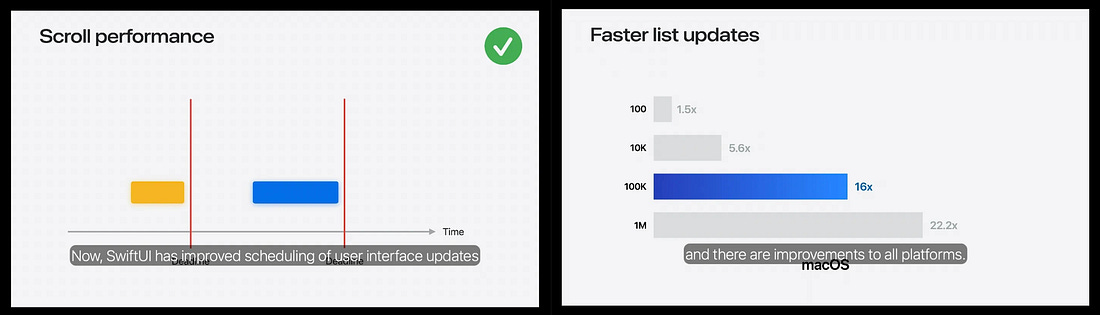
I love SwiftUI; I hate SwiftUI. I love UIKit; I hate UIKit. When you’re as suggestible as me, it’s easy to be swayed based on the last blog post you read. SwiftUI has forever been on a long journey to parity with UIKit, and the question of “is SwiftUI production-ready” has had a clear answer for years: Yes, but. Yes, but you will need to drop down to UIKit for stuff like the Camera. Yes, but some functionality like UIScrollViewDelegate scroll velocity is missing. Yes, but performance on an infinitely-scrolling feed will never be as good. Performance. Specifically, scroll performance. At one time or another, we’ve all sat under the thumb of an imperious product manager or QA tester, demanding the single frame drop on their nan’s iPhone 4s be eliminated before you can go home. But they do have a point: Performance is the final bastion of native iOS supremacy. You don’t want to hear it, but if we get comfortable shipping apps with noticeably mediocre performance on scroll-heavy screens, we might as well ship with React Native. iOS 26 crosses the rubicon: in WWDC 2025’s What’s New In SwiftUI, Apple spent half the runtime explaining the improvements they made to List updates and scroll performance more widely.
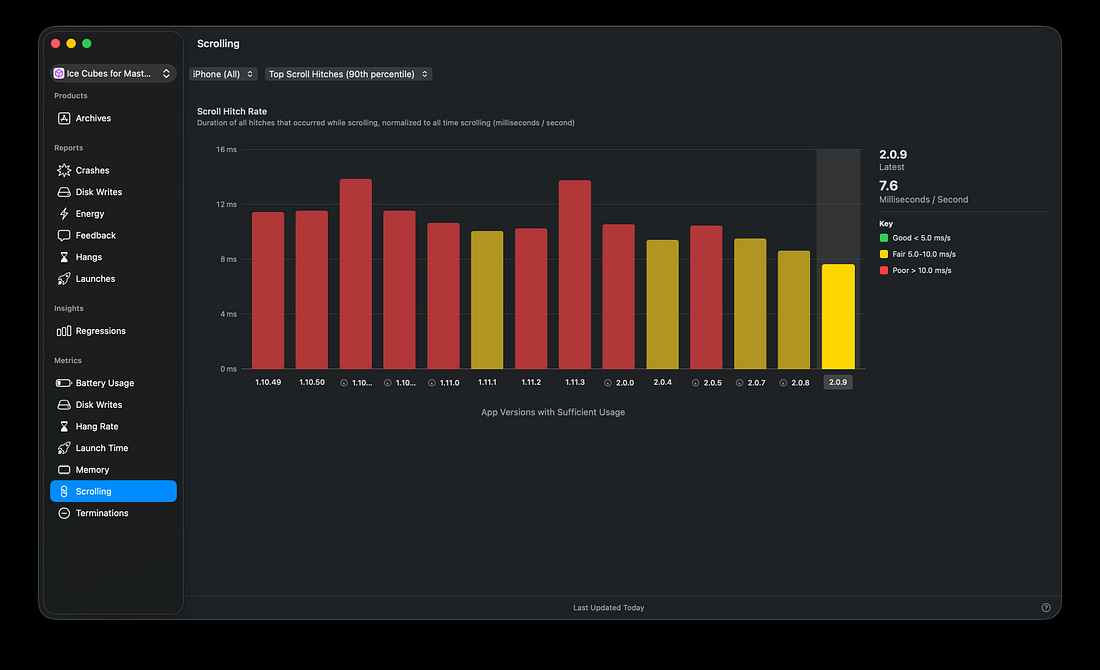
These improvements aren’t theoretical: Thomas Ricouard’s Ice Cubes app saw a substantial not-to-sniff-at drop in the scroll hitch rate since building against the iOS 26 SDK in version 2.0.0.
Let’s put Apple’s claims to the test in the ultimate head-to-head battle of the scrolls. SwiftUI vs UIKit. We’ll find out, once and for all, whether SwiftUI has hit parity on performance. Designing the most ridiculous scroll view I can imagineIf we want to meaningfully understand the performance characteristics of SwiftUI and UIKit scroll performance, we need to really put them to the test. If you’re just rendering a simple storefront with a carousel of images, maybe with some text on each cell, then this isn’t the article for you. Both frameworks are probably fine. But today I’m making the most complex scrolling feed I can imagine in SwiftUI. What requirements are needed to make a UI truly ridiculous?
But how can we achieve this? I have an idea. With a little help from my friend, 2001’s 22,000 Animated Gifs CD-ROM.
Now we have our secret sauce, I can build out twin chaotic UIs in both SwiftUI and UIKit. 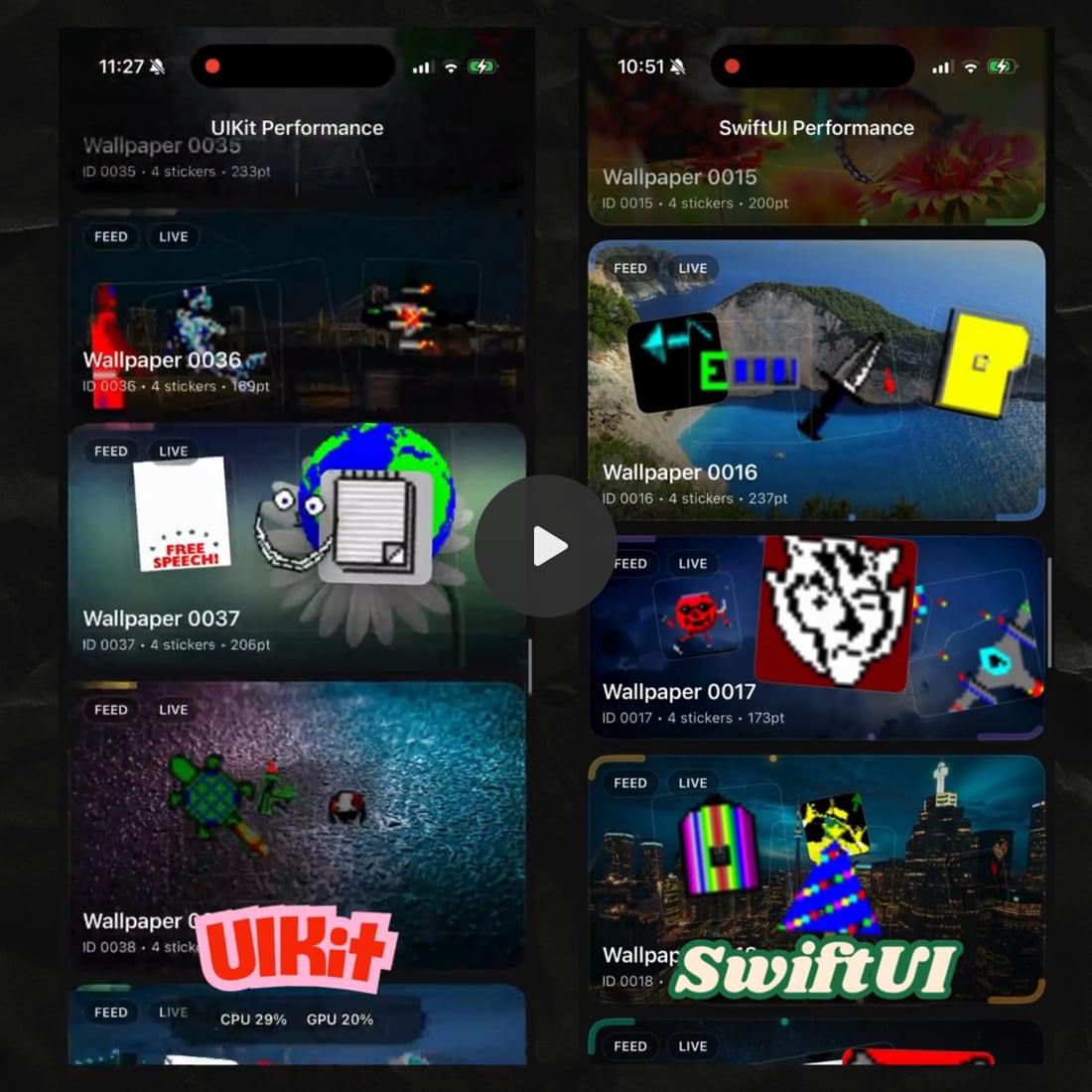
These gifs are bananas. And yes, I do pronounce it just like you. The complexity of this UI forces the screen to aim for the high-performance 120fps refresh rate, giving just 8.33ms to render each frame. There is no hiding from this in my performance profiles. So. Once and for all. Is SwiftUI finally as performant as UIKit?
Also, this post is pretty long, and your email client will probably cut it off. For the best experience, read it on my website: A fair testI’m a scientist. Well. Kind of. I did a physics degree. Did I drop out of my masters into the 3-year bachelor course? Yes. But only because I’m smart enough to know that I’m not smart enough to do a masters. I digress. To ensure a fair test, we want to control the extraneous variables. (Or is it confounding variables? I digress. Again). Anyway. I’m running everything on my iPhone 17, with iOS 26.1. You can complete the exact same tests yourself to corroborate (or deny!) my results, using the open-source project:
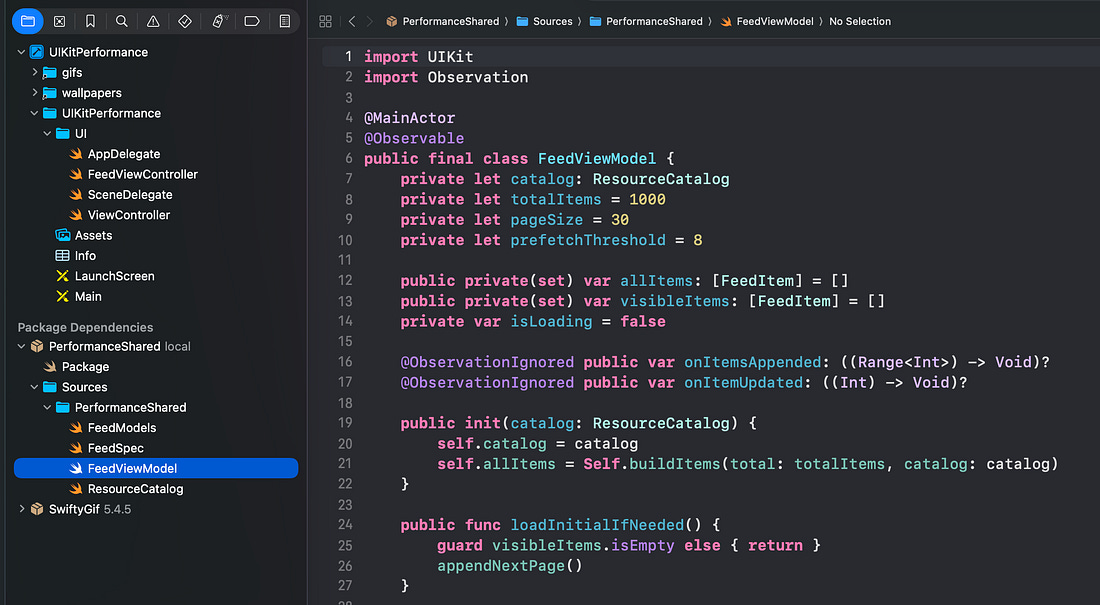
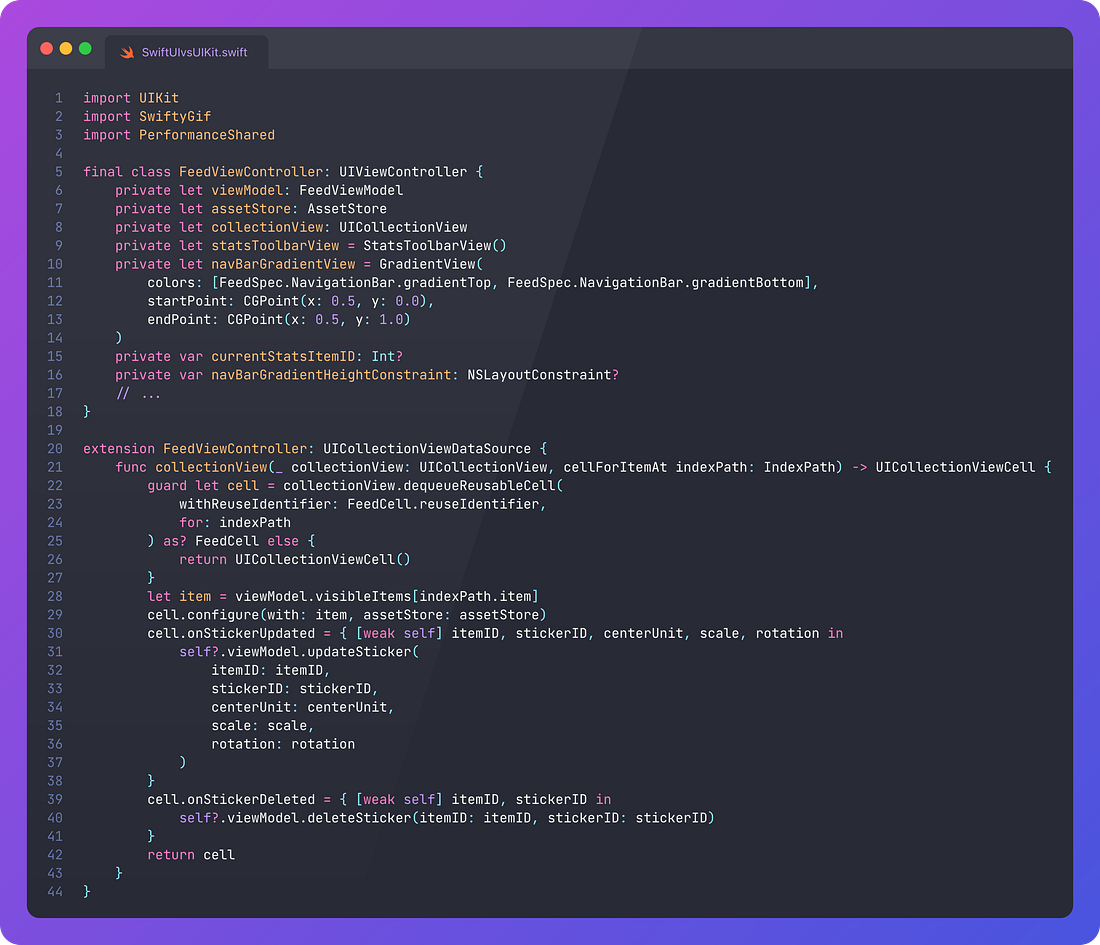
To go further with controlling variables, I shared as much code as practicable. About half of the code was factored into a shared public module, including the @Observable view model used by both the UIKit and SwiftUI feeds.
I also used a third-party library, SwiftyGif, to handle gif animations. I wasn’t enormously happy to wrap the gif in a UIViewRepresentable to expose it to SwiftUI, but the small overhead incurred here was massively preferable to using an entirely different library. Known error bars and all that. I applied a few basic performance tricks to ensure we’re putting our game face on with both UI frameworks:
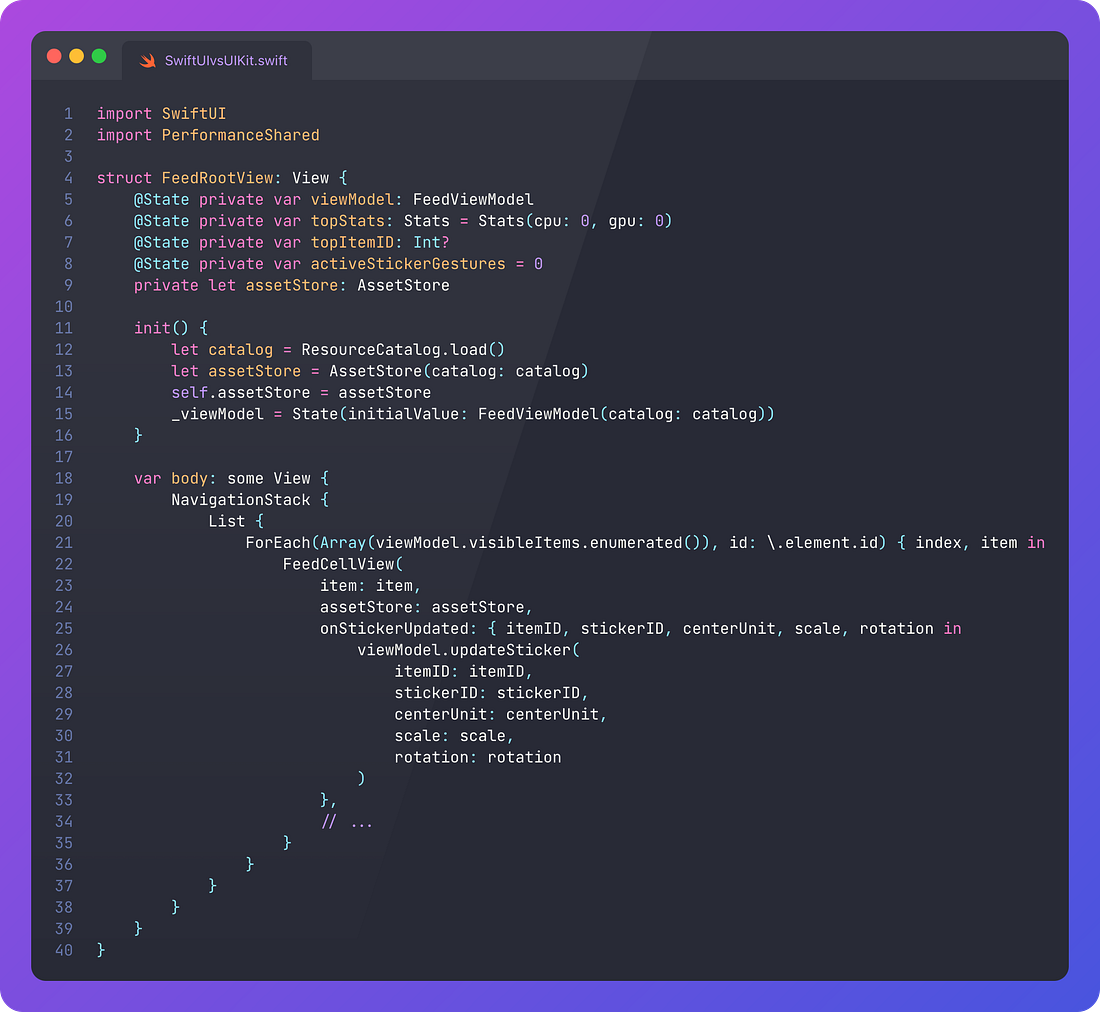
Now let’s run the experiment. SwiftUI performance (feat. List)Last year I wrote a popular piece profiling the various approaches for building a scrolling feed on SwiftUI. After testing out VStack, LazyVStack, and List, I confirmed that List was the undisputed king when it comes to SwiftUI scroll performance.
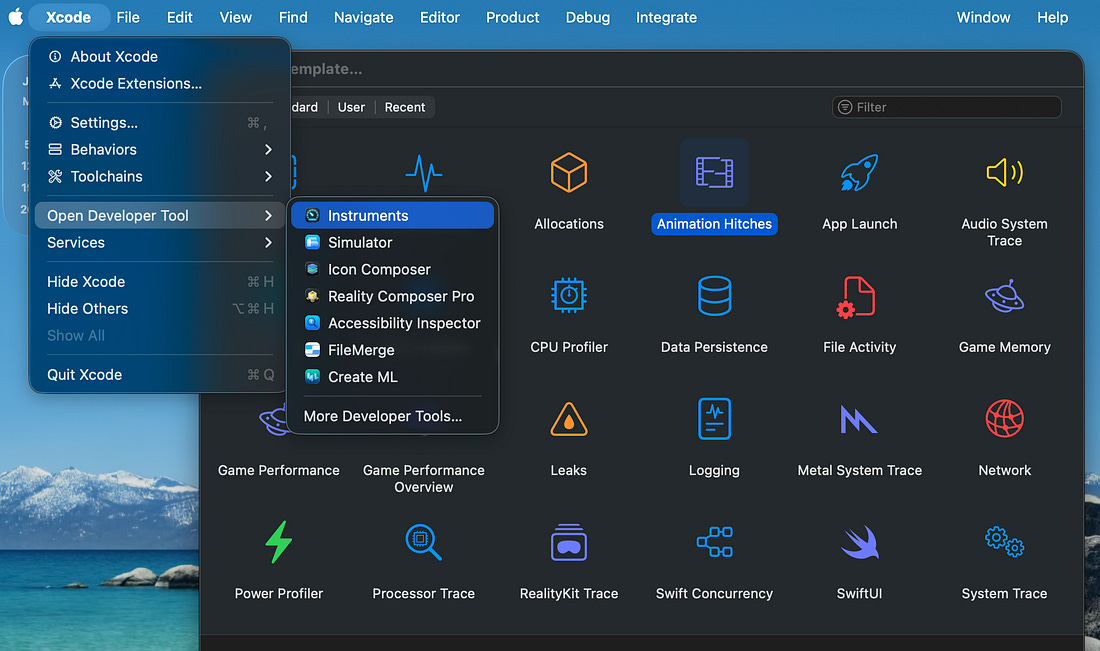
We built out this List here to design our feed UI. Now let’s begin profiling. Animation performance with InstrumentsWe find Instruments from the Xcode > Open Developer Tool menu. To profile animation performance, the Animation Hitches instrument is pre-packaged with profiles for Hitches, Hangs, Display Sync, and Time Profile.
I ran the same test a few times:
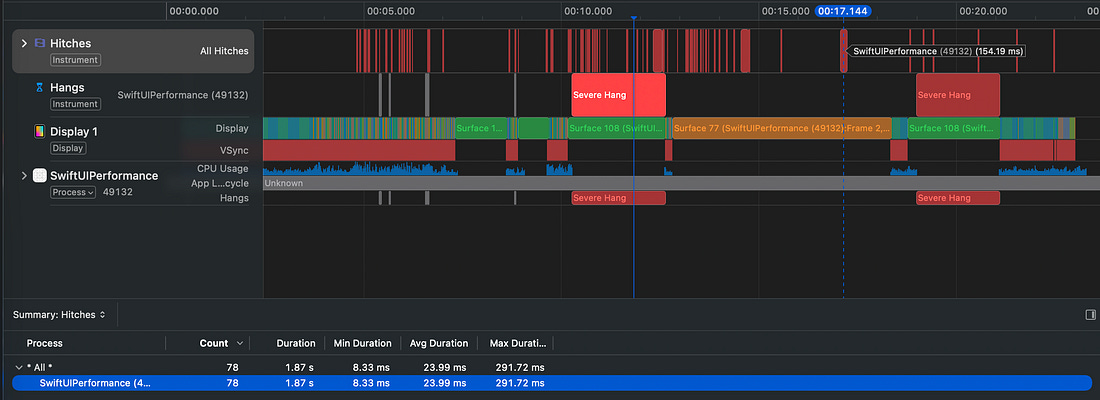
I have crappy perception, so didn’t rate my ability to feel minor animation issues. But during my first run, I felt two very noticeable hangs, where the UI was briefly unresponsive betwixt tap and scroll. But this wasn’t the half of it. Once I looked at my proper instruments trace, I felt like the detective barging into a Jack The Ripper’s crime scene.
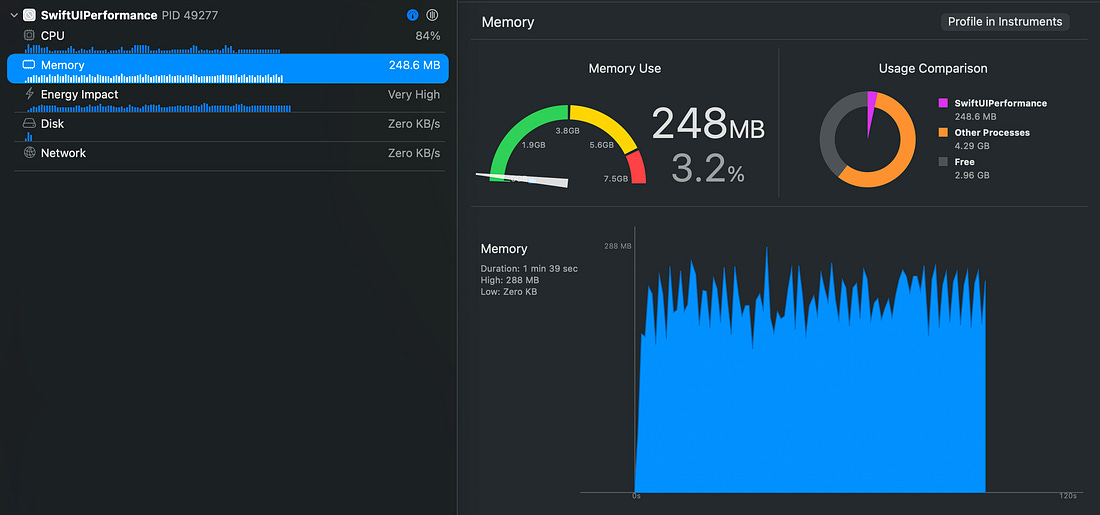
This was consistent across multiple runs. Average hitch duration was just over 24ms, meaning ~3 dropped frames per hitch. The UI threw up 3.4 hitches per second. Given that I struggled to perceive this, I should think about going to Specsavers. You can see clusters of red lines on the Hitches trace, representing more frame drops where I was scrolling more rapidly. Memory, CPU, and thermal profile with XcodeSo scroll performance wasn’t great. Let’s look at some other important performance metrics, this time directly in the Xcode debugger. Memory usage wasn’t dramatic, but was interestingly spiky. Perhaps due to the different numbers of gifs and different resolution of the images rendered on each cell.
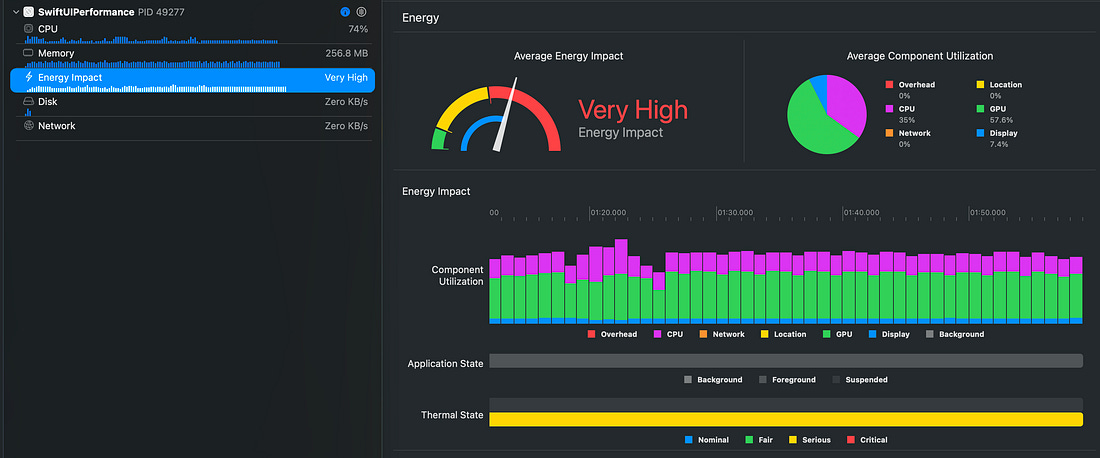
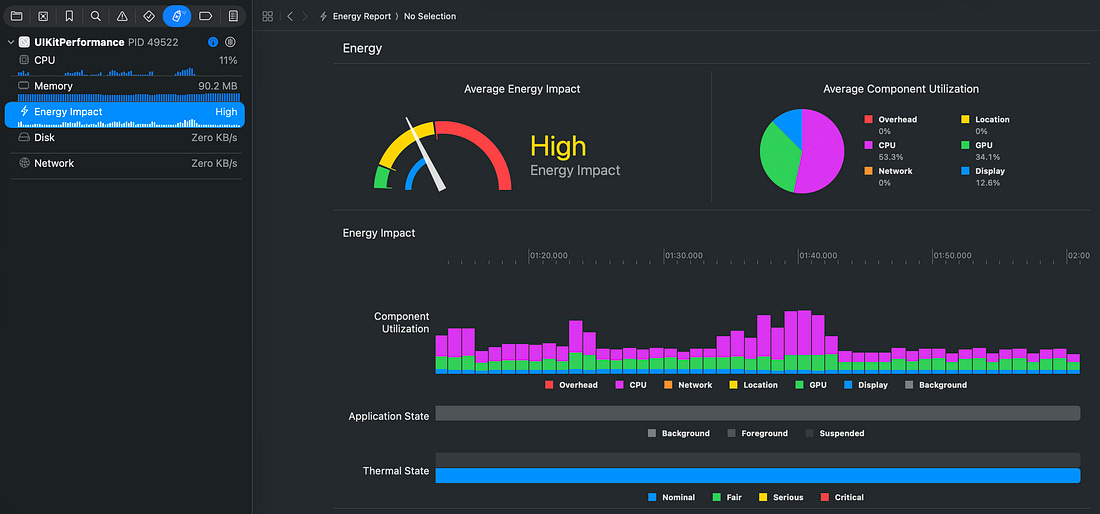
CPU and thermal performance was a whole ‘nother story: it’s clear now why we had so many hitches. Even at rest, no scrolling, the CPU screamed at 100% capacity to render every gif, and well past 100% (distributing work across CPU cores) when I scrolled. The “Very High” energy impact rapidly heated my device. The measured thermal trace crept up towards Serious. When I wasn’t paying attention, the app was even killed by the OS, presumably hitting a critical thermal spike.
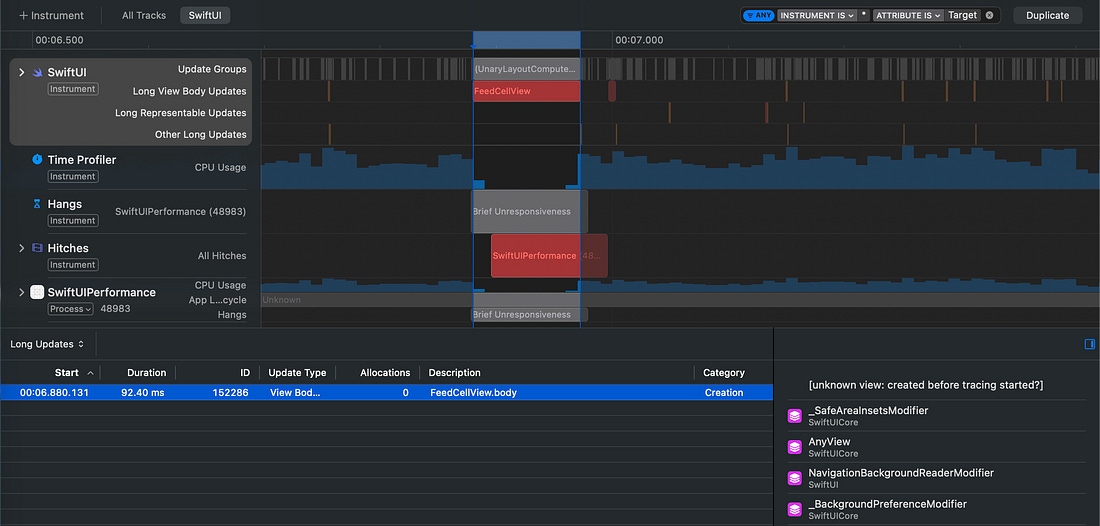
The SwiftUI Performance instrumentOkay, so that wasn’t ideal. But, hey, look, new instrument! Okay. This isn’t really relevant to this test, but it is nice. For Xcode 26, Apple created a brand-new tool for debugging slow View computation updates in SwiftUI. As you can see here, highlighted view update issues neatly coincide with UI hitches.
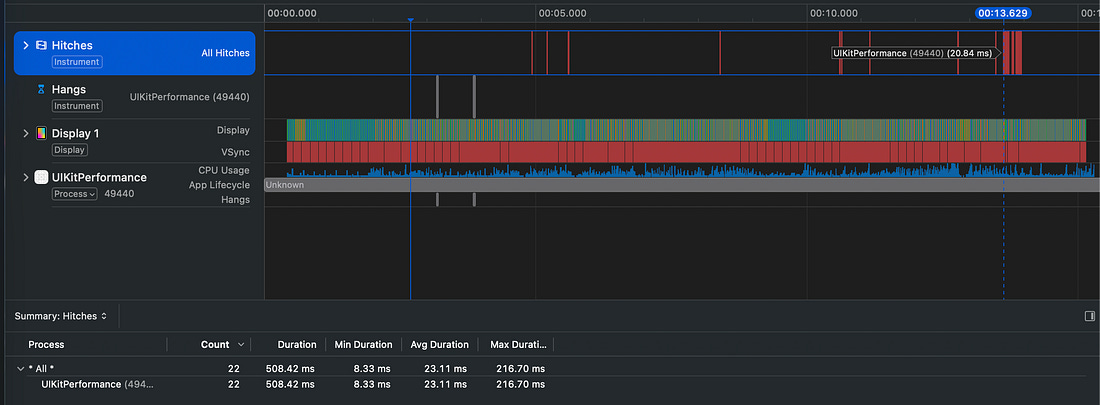
In production, this is another wrench in your tool-belt you can use to tweak heavy SwiftUI bodies. It even includes a cause & effect graph so you can see exactly what state changes trigger re-renders. UIKit Performance (feat. UICollectionView)Okay, so our SwiftUI List didn’t work fantastically when faced with a paginated scrolling feed, containing high-res images, gradients, animations, gesture-based interactions, and a ton of gifs. What is the state of the art for achieving this in UIKit? The UICollectionView. Let’s jump straight into the profiles. Animation performance with InstrumentsI did the same set of tests, the same number of times. Load, scroll, scroll faster, and play with the gifs. I freely admit I’m not enormously perceptive, but there was something there. The SwiftUI one, even before looking at the trace, and experiencing the UI freeze, felt unexplainedly… off. UIKit version had no such problems. This is some Unreal Engine 5 sh*t. Just… no part of my subconscious lizard brain was screaming while I scrolled. When it comes to the actual Instruments trace, UIKit is almost showing off.
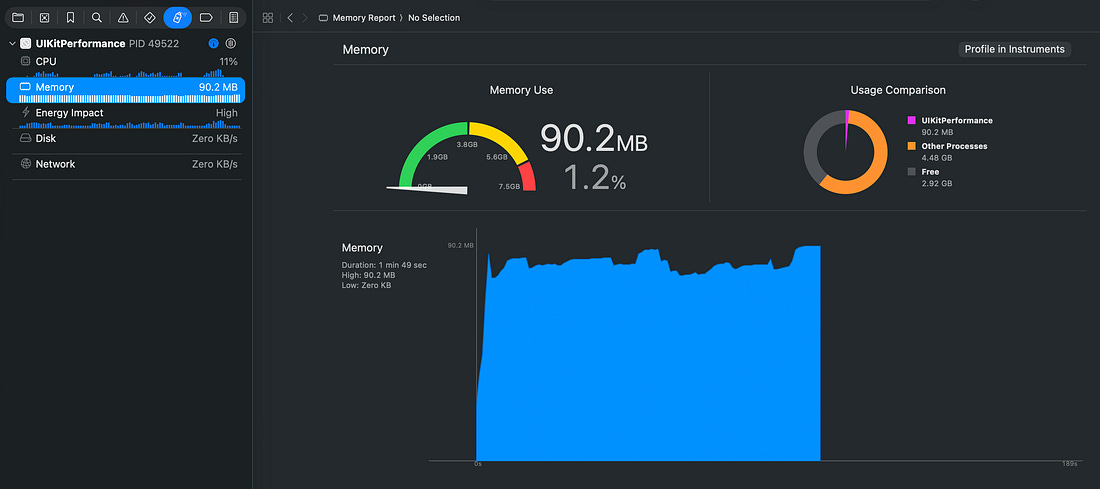
Across my tests, I measured 0.7 hitches per second (compared to 3.4 for SwiftUI). Average hitch duration was the same. No hangs were detected, but there were a couple of brief (38ms) interaction delays, highlighted in grey. Memory, CPU, and thermal profile with XcodeWhen it came to profiling peak memory and energy usage, I expected the same kind of results I saw in SwiftUI: We’re still displaying an enormous number of elements, animating them the same, and these images are not any bigger or smaller, right? Now don’t I look silly.
Memory usage hovered around 92MB for UIKit, compared to 248MB in SwiftUI. After giving a serious beating to my shiny new A19 chip, the same feed in UIKit produced comparatively nearly trivial CPU and energy usage.
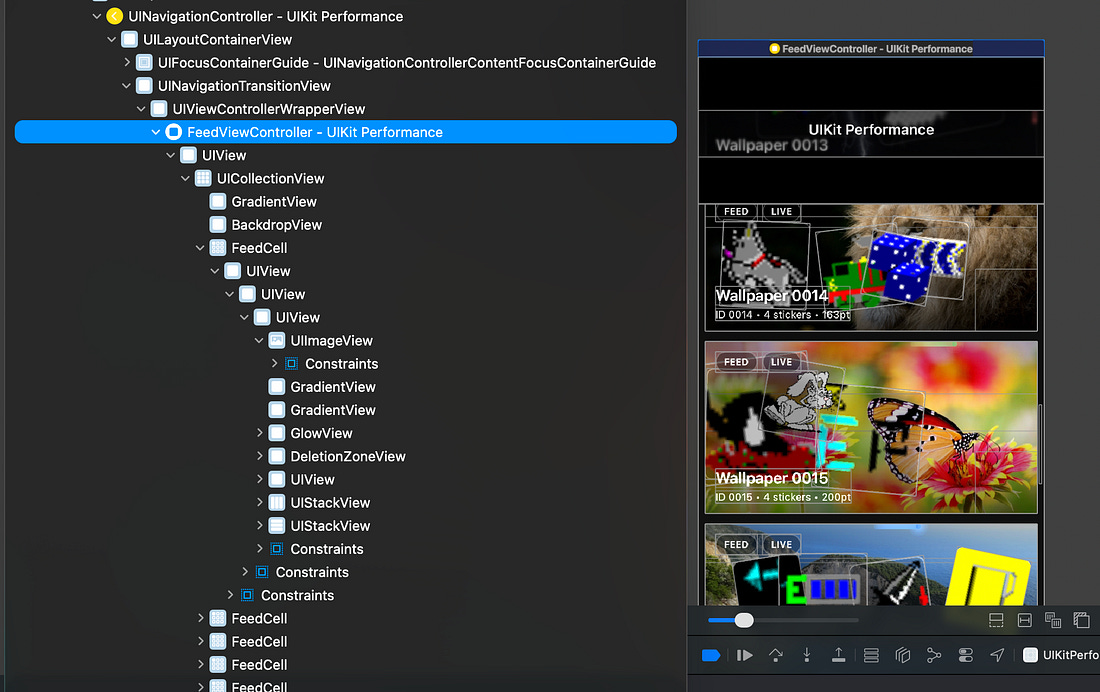
I gave up waiting for the thermal profile to hit Fair after 3 minutes. The Elephant in the Room 🐘Even in iOS 26, SwiftUI is dramatically outclassed by UIKit when it comes to scroll performance of very complex UIs. But why is this performance different? Perhaps you’re thinking what I’m thinking. Isn’t List implemented via UICollectionView under the hood? Here’s our UIKit version, in the view hierarchy debugger, resplendent with our manually-crafted UICollectionView:
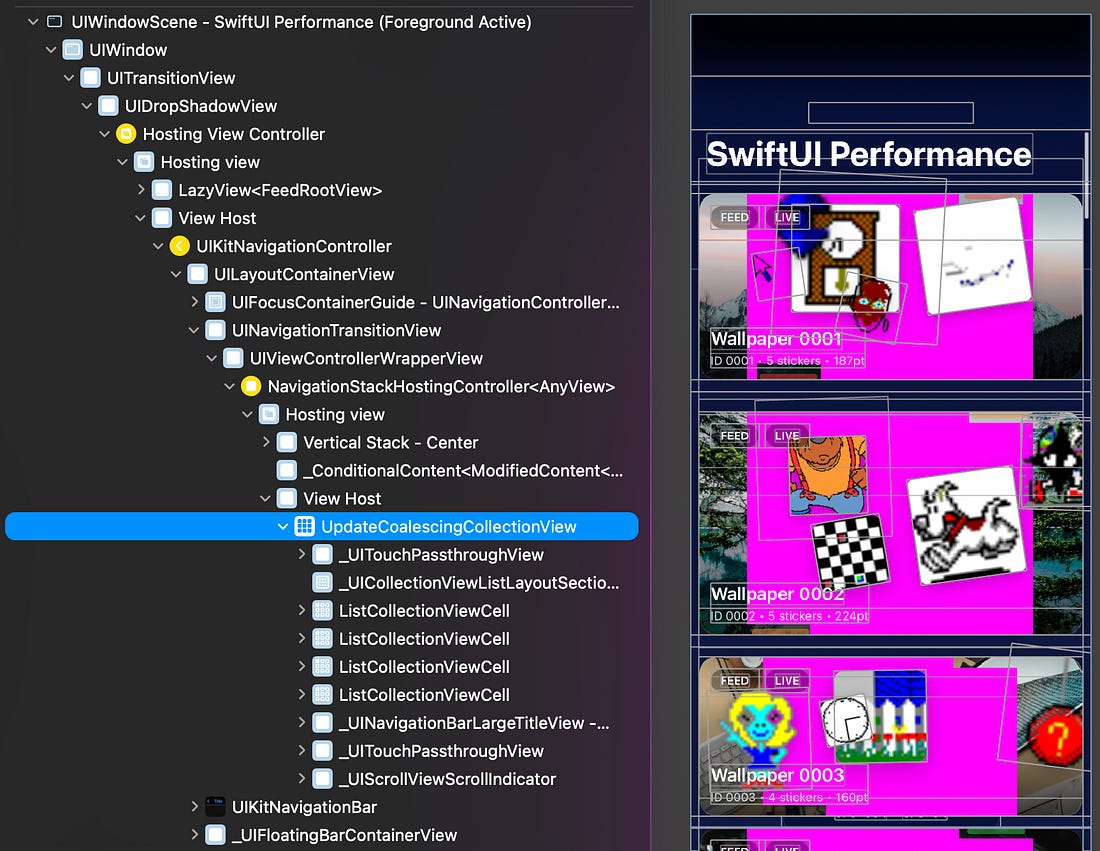
The SwiftUI screen contains a mysterious UpdateCoalescingCollectionView.
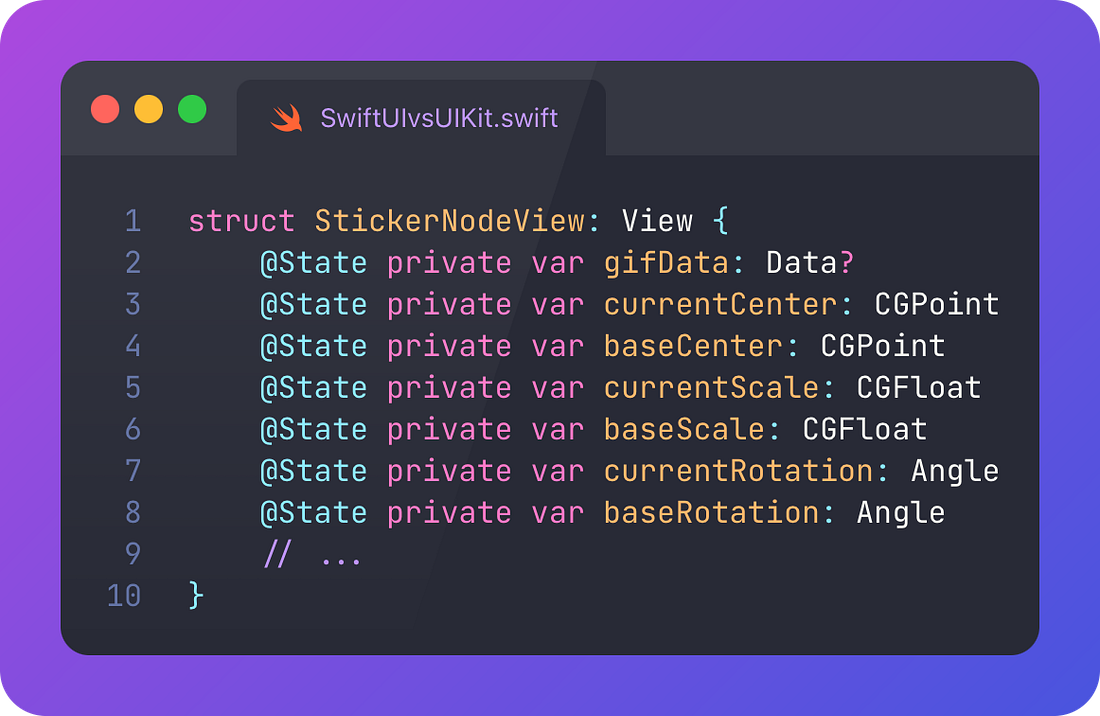
So it’s not a vanilla collection view. And the performance is drastically different. SwiftUI’s performance characteristics are constrained, fundamentally, by its architecture. I’ve always been saying that the beautiful, reactive, automagical data flow out-of-the-box comes with a cost:
What the future looks like for SwiftUIMastodon went wild recently over a rumour shared by Steve Troughton-Smith:
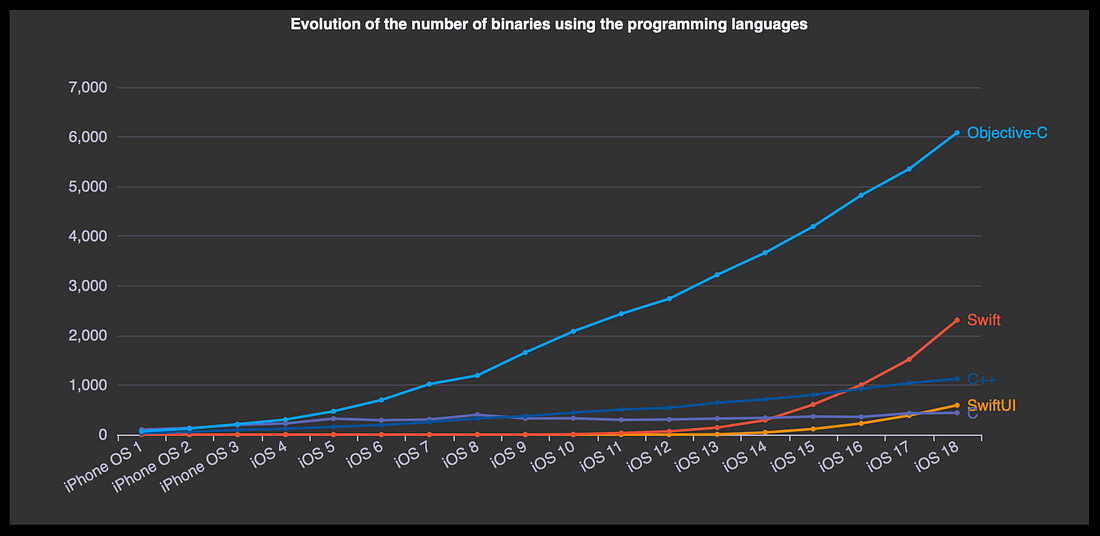
Spicy stuff. I look forward to the next edition of Apple’s internal use of SwiftUI by Alexandre Colucci. We can cross-reference whether this rumour is substantiated by seeing whether the SwiftUI usage has plateaued across the internal iOS binaries.
Last OrdersIn my experience using SwiftUI heavily at 5 companies, I’ve found that it’s really brilliant if you have a very understanding product or design team, who are happy for you to push back on certain design aspects, and compromise a little on detailed rendering minutiae. When there’s a company-wide focus on UI performance, you’re going to have a bad time. You can do irreversible damage to your app architecture by pivoting away from SwiftUI after years, and incur cognitive overhead from switching between architectures forever into the future. The biggest advantage of SwiftUI has always been the fast, easy-to-write declarative syntax. But with the rise of Agentic Engineering, the annoying overhead of writing programmatic UIKit code is negligible. I hate to be the one to say it, so please do my job for me and whisper this quiet affirmation as you go into work this week: “SwiftUI is dead. Long live UIKit.”
Sent from my iPhone
|